Manage all your subscription preferences in your Master Account Settings.
To get an invoice:
- Log in to your Labelcaster Match account and go to your account settings by tapping your profile image in the upper right of the page, then tapping the settings gear icon ⚙️.
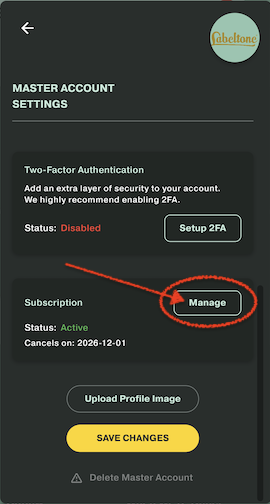
- Scroll down to the bottom to the Subscription section and tap the Manage button. This opens your account page in Stripe.
- You should see your subscription on this page. Tap History in the bottom bar
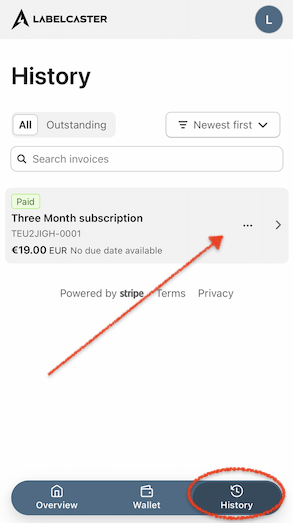
- Click the invoice to view, print and save your invoice