Labelcaster Match is an artist–label matching service. LBCR MATCH enables aspiring artists to send demo tracks to our labels. Labels can sign talented new artists from around the world. For labels, LBCR MATCH is free of charge.
We have your back, so you won't be spammed with tons of bad demos. We curate artists by requiring them to apply and be approved by us before they can subscribe, using a process similar to the one we use for labels. Once approved and subscribed, artists can send a limited number of demo submissions per month. This ensures quality and eliminates spamming.
LBCR MATCH costs nothing for labels. It is completely optional. Labels that do not want to participate in this matchmaking opportunity can easily disable it.
Getting started with LBCR MATCH
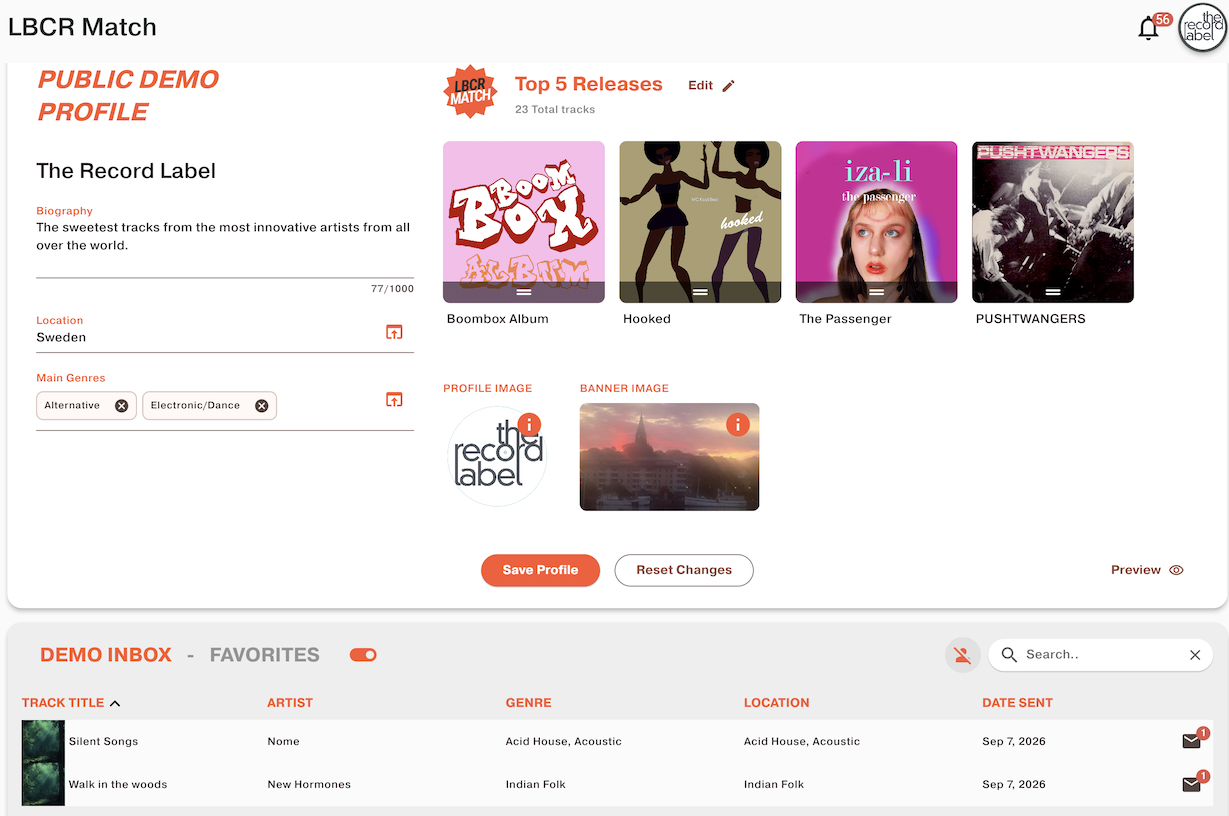
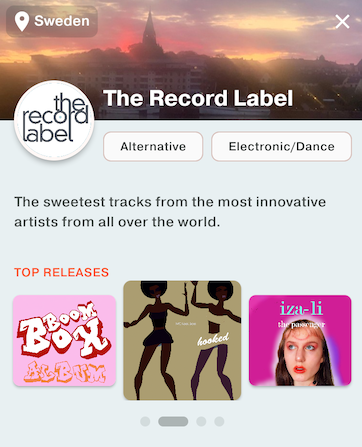
Set up your Label Profile: log in to your account and go to the LBCR MATCH tab. Your profile is what artists will see when they search for labels.
Don’t forget to tap Save Profile to save whatever additions and changes you make.
Working with artists and demos

Artists’ demos appear in your DEMO INBOX. Here you can listen to the demo, view artists’ profiles, chat with artists, block artists and more. Sort the table by clicking the heading.
If you don’t want to receive demos, just tap the orange toggle to disable the Demo Inbox. When the Inbox is disabled, your label won't show up in any artist searches. You can toggle it on and off at any point.
As a label, you are free to converse with the artists and work out any deal that you both agree to. If you agree to release a demo or sign the artist, you just send them an artist invite from your label account as you do now, and everything is business as usual from there on.
Track actions
To manage your demos, click the track or tap the three dots on mobile to see a pop-up of actions.
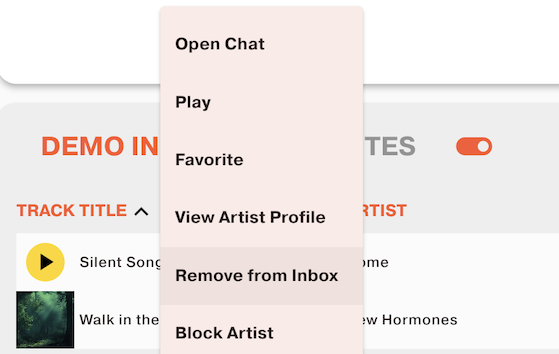
- Open Chat opens a chat window to chat directly one-on-one
- Play lets you listen to the track
- Favorite moves the track to the Favorites tab from the Inbox
- View Artist Profile opens the artist profile box, letting you read more about the artist and see links on popular DSPs and social networks.
- Remove from Inbox removes the submission entirely. Once removed, you can't retrieve it.
- Block Artist blocks the artist from sending you any more demos. You can manage and unblock artists by clicking the orange blocked artist icon at the top right of your Demo Inbox